

The Power of Regulation: Muscles MSFT Meets a Strict School Marm
November 17, 2023
 This essay is the work of a dumb dinobaby. No smart software required.
I read “The EU Will Finally Free Windows Users from Bing.” The EU? That collection of fractious states which wrangle about irrelevant subjects; to wit, the antics of America’s techno-feudalists. Yep, that EU.
The “real news” write up reports:
Microsoft will soon let Windows 11 users in the European Economic Area (EEA) disable its Bing web search, remove Microsoft Edge, and even add custom web search providers — including Google if it’s willing to build one — into its Windows Search interface. All of these Windows 11 changes are part of key tweaks that Microsoft has to make to its operating system to comply with the European Commission’s Digital Markets Act, which comes into effect in March 2024
The article points out that the DMA includes a “slew” of other requirements. Please, do not confuse “slew” with “stew.” These are two different things.
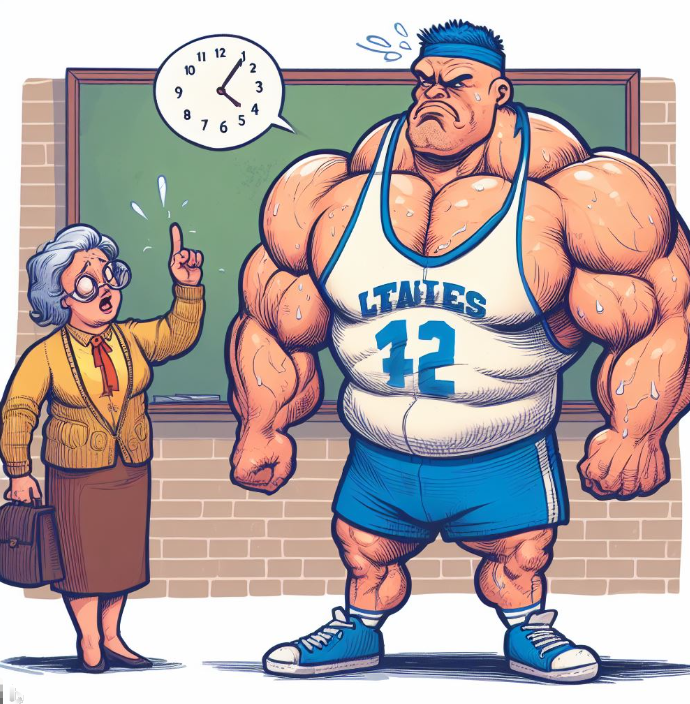
The old fashioned high school teacher says to the high school super star, “I don’t care if you are an All-State football player, you will do exactly as I say. Do you understand?” The outsized scholar-athlete scowls and say, “Yes, Mrs. Ee-You. I will comply.” Thank you MSFT Copilot. You converted the large company into an image I had of its business practices with aplomb.
Will Microsoft remove Bing — sorry, Copilot — from its software and services offered in the EU? My immediate reaction is that the Redmond crowd will find a way to make the magical software available. For example, will such options as legalese and a check box, a new name, a for fee service with explicit disclaimers and permissions, and probably more GenZ ideas foreign to me do the job?
The techno weight lifter should not be underestimated. Those muscles were developed moving bundles of money, not dumb “belles.”
Stephen E Arnold, November 17, 2023
An Odd Couple Sharing a Soda at a Holiday Data Lake
November 16, 2023
What happens when love strikes the senior managers of the technology feudal lords? I will tell you what happens — Love happens. The proof appears in “Microsoft and Google Join Forces on OneTable, an Open-Source Solution for Data Lake Challenges.” Yes, the lakes around Redmond can be a challenge. For those living near Googzilla’s stomping grounds, the risk is that a rising sea level will nuke the outdoor recreation areas and flood the parking lots.
But any speed dating between two techno feudalists is news. The “real news” outfit Venture Beat reports:
In a new open-source partnership development effort announced today, Microsoft is joining with Google and Onehouse in supporting the OneTable project, which could reshape the cloud data lake landscape for years to come
And what does “reshape” mean to these outfits? Probably nothing more than making sure that Googzilla and Mothra become the suppliers to those who want to vacation at the data lake. Come to think of it. The concessions might be attractive as well.

Googzilla says to Mothra-Soft, a beast living in Mercer Island, “I know you live on the lake. It’s a swell nesting place. I think we should hook up and cooperate. We can share the money from merged data transfers the way you and I — you good looking Lepidoptera — are sharing this malted milk. Let’s do more together if you know what I mean.” The delightful Mothra-Soft croons, “I thought you would wait until our high school reunion to ask, big boy. Let’s find a nice, moist, uncrowded place to consummate our open source deal, handsome.” Thanks, Microsoft Bing. You did a great job of depicting a senior manager from the company that developed Bob, the revolutionary interface.
The article continues:
The ability to enable interoperability across formats is critical for Google as it expands the availability of its BigQuery Omni data analytics technology. Kazmaier said that Omni basically extends BigQuery to AWS and Microsoft Azure and it’s a service that has been growing rapidly. As organizations look to do data processing and analytics across clouds there can be different formats and a frequent question that is asked is how can the data landscape be interconnected and how can potential fragmentation be stopped.
Is this alleged linkage important? Yeah, it is. Data lakes are great places to part AI training data. Imagine the intelligence one can glean monitoring inflows and outflows of bits. To make the idea more interesting think in terms of the metadata. Exciting because open source software is really for the little guys too.
Stephen E Arnold, November 16, 2023
Bing Chatbot Caught Allowing Malicious Ads to Slip Through
November 13, 2023
 This essay is the work of a dumb humanoid. No smart software required.
Bing has been so excited to share its integrated search chatbot with the world. Unfortunately, there is a bit of a wrinkle. Neowin reports, “Microsoft Is Reportedly Allowing Malicious Ads to Be Served on Bing’s AI Chat.” Citing a report from Malwarebytes, writer Mehrotra A tells us:
“Bing AI currently adds hyperlinks to text when responding to user queries and some times, these hyperlinks are sponsored ads. However, when Malwarebytes asked Bing AI how to download Advanced IP Scanner, it gave a hyperlink to a malicious website instead of the official website. While, Microsoft does put a small ad label next to the link, it is easy to overlook and an unsuspecting user will not think twice before clicking the link and downloading a file that could very well damage their system. In this instance, the ad opened a fake URL that filtered traffic and took the real users to a fake website that mimics the official Advanced IP Scanner website. Once some one runs the executable installer, the script tries to connect to an external IP address. Unfortunately, Malwarebytes did not find the final intention or the payload but it could have easily being a spyware or a ransomware.”
Quite the oversight. The write-up concludes Microsoft is not sufficiently vetting marketing campaigns before they go live. We can only hope Malwarebyte’s discovery will change that.
Cynthia Murrell, November 13, 2023
The GOOG and MSFT Tried to Be Pals… But
October 30, 2023
 This essay is the work of a dumb humanoid. No smart software required.
Here is an interesting tangent to the DOJ’s case against Google. Yahoo Finance shares reporting from Bloomberg in, “Microsoft-Google Peace Deal Broke Down Over Search Competition.” The two companies pledged to stop fighting like cats and dogs in 2016. Sadly, the peace would last but three short years, testified Microsoft’s Jonathan Tinter.
In a spirit of cooperation and profits for all, Microsoft and Google-parent Alphabet tried to work together. For example, in 2020 they made a deal for Microsoft’s Surface Duo: a Google search widget would appear on its main screen (instead of MS Bing) in exchange for running on the Android operating system. The device’s default browser, MS Edge, would still default to Bing. Seemed like a win-win. Alas, the Duo turned out to be a resounding flop. That disappointment was not the largest source of friction, however. We learn:
“In March 2020, Microsoft formally complained to Google that its Search Ads 360, which lets marketers manage advertising campaigns across multiple search engines, wasn’t keeping up with new features and ad types in Bing. … Tinter said that in response to Microsoft’s escalation, Google officially complained about a problem with the terms of Microsoft’s cloud program that barred participation of the Google Drive products — rival productivity software for word processing, email and spreadsheets. In response to questions by the Justice Department, Tinter said Microsoft had informally agreed to pay for Google to make the changes to SA360. ‘It was half a negotiating strategy,’ Tinter said. Harrison ‘said, ‘This is too expensive.’ I said, ‘Great let me pay for it.’’ The two companies eventually negotiated a resolution about cloud, but couldn’t resolve the problems with the search advertising tool, he said. As a result, nothing was ever signed on either issue, Tinter said. ‘We ultimately walked away and did not reach an agreement,’ he said. Microsoft and Google also let their peace deal expire in 2021.”
Oh well, at least they tried to get along, we suppose. We just love dances between killer robots with money at stake.
Cynthia Murrell, October 30, 2023
Microsoft and What Fizzled with One Trivial Omission. Yep, Inconsequential
October 27, 2023
 This essay is the work of a dumb humanoid. No smart software required.
I read “10 Hyped-Up Windows Features That Fizzled Out” is an interesting list. I noticed that the Windows Phone did not make the cut. How important is the mobile phone to online computing and most people’s life? Gee, a mobile phone? What’s that? Let’s see Apple has a phone and it produces some magnetism for the company’s other products and services. And Google has a phone with its super original, hardly weird Android operating system with the pull through for advertising sales. Google does fancy advertising, don’t you think? Then we have the Huawei outfit, which despite political headwinds, keeps tacking and making progress and some money. But Microsoft? Nope, no phone despite the superior thinking which brought Nokia into the Land of Excitement.

What do you mean security is a priority? I was working on 3D, the metaverse, and mixed reality. I don’t think anyone on my team knows anything about security. Is someone going to put out that fire? I have to head to an off site meeting. Catch you later,” says the hard working software professional. Thanks MidJourney, you understand dumpster fire, don’t you?
What’s on the list? Here are five items that the online write up identified as “fizzled out” products. Please, navigate to the original “let’s make a list and have lunch delivered” article.
The five items I noted are:
- The dual screen revolution Windows 10X for devices like the “Surface Neo.” Who knew?
- 3D modeling. Okay, I would have been happy if Microsoft could support plain old printing from its outstanding Windows products.
- Mixed reality. Not even the Department of Defense was happy with weird goggles which could make those in the field of battle a target.
- Set tabs. Great idea. Now you can buy it from Stardock, the outfit that makes software to kill the weird Window interface. Yep, we use this on our Windows computers. Why? The new interface is a pain, not a “pane.”
- My People. I don’t have people. I have a mobile phone and email. Good enough.
What else is missing from this lunch time-brainstorming list generation session?
My nomination is security. The good enough approach is continuing to demonstrate that — bear with me for this statement — good enough is no longer good enough in my opinion.
Stephen E Arnold, October 27, 2023
Microsoft Making Changes: Management and Personnel Signals
October 17, 2023
![Vea4_thumb_thumb_thumb_thumb_thumb_t[2]](https://arnoldit.com/wordpress/wp-content/uploads/2023/10/Vea4_thumb_thumb_thumb_thumb_thumb_t2-25.gif "Vea4_thumb_thumb_thumb_thumb_thumb_t[2]") Note: This essay is the work of a real and still-alive dinobaby. No smart software involved, just a dumb humanoid.
Note: This essay is the work of a real and still-alive dinobaby. No smart software involved, just a dumb humanoid.
We post headlines to the blog posts in Beyond Search to LinkedIn, “hire me” service. The traffic produced is minimal, and I find it surprising that a 1,000 people or so look at the information that catches our attention. As a dinobaby who is not interested in work, I find LinkedIn amusing. The antics of people posting little videos, pictures of employees smiling, progeny in high school athletic garb, and write ups which say, “I am really wonderful” are fascinating. Every month or so, I receive a message from a life coach. I get a kick out of telling the young person, “I am 78 and I don’t have much life left. What’s to coach?” I never hear from the individual again. What fun is that?
I wonder if the life coaches offer their services to Microsoft LinkedIn? Perhaps the organization could benefit more than I would. What justifies this statement? “LinkedIn Employees Discovered a Mysterious List of around 500 Names Over the Weekend. On Monday, Workers Said Those on the List Were Laid Off” might provide a useful group of prospects. Imagine. A group of professionals working on a job hunting site possibly terminated by Microsoft LinkedIn. That’s the group to write about life coaching and generating leads. What’s up with LinkedIn? Is LinkedIn a proxy for management efforts to reduce costs?

“Turn the ship, sir. You will run aground, leak fuel, and kill the sea bass,” shouts a consultant to the imposing vessel Titanic 3. Thanks, MidJourney, close enough for horse shoes.
Without any conscious effort other LinkedIn-centric write ups caught my eye. Each signals that change is being forced upon a vehicle for aggressive self promotion to make money. Let me highlight these other “reports” and offer a handful of observations. Keep in mind that [a] I am a dinobaby and [b] I see social media as a generally bad idea. See. I told you I was a dinobaby.
The first article I spotted in my newsfeed was “Microsoft Owned LinkedIn Lays Off Nearly 700 Employees — Read the Memo Here.” The big idea is that LinkedIn is not making as much money as it coulda, woulda, shoulda. The fix is to allow people to find their future elsewhere via role reductions. Nice verbiage. Chatty and rational, right, tech bros? Is Microsoft emulating the management brilliance of Elon Musk or the somewhat thick fingered efforts of IBM?
The article states:
LinkedIn is now ramping up hiring in India…
My hunch it is a like a combo at a burger joint: “Some X.com, please. Oh, add some IBM too.”
Also, I circled an item with the banner “20% of LinkedIn’s Recent Layoffs Were Managers.” Individuals offered some interesting comments. These could be accurate or the fabrications of a hallucinating ChatGPT-type service. Who knows? Consider these remarks:
- From Kuchenbecker: I’m at LI and my reporting chain is Sr mgr > Sr Director > VP > Sr vp > CEO. A year ago it was mgr > sr mgr > director > sr Director> vp> svp > ceo. No one in my management chain was impacted but the flattening has been happening organically as folks leave. LI has a distinctive lack of chill right now contrary to the company image, but generally things are just moving faster.
- From Greatpostman: I have a long held belief that engineering managers are mostly a scam, and are actually just overpaid scrum masters. This is from working at some top companies
- From Xorcist: Code is work, and the one thing that signals moving up the social ladder is not having to work.
- From Booleandilemma: My manager does little else besides asking what everyone is working on every day. We could automate her position with a slack bot and get the same results.
The comments suggest a well-crafted bureaucracy. No wonder security buffs find Microsoft interesting. Everyone is busy with auto scheduled meetings and getting Teams to work.
Next, I spotted was “Leaked Microsoft Pay Guidelines Reveal Salary, Hiring Bonus, and Stock Award Ranges by Level.” I underlined this assertion in the article:
In 2022, when the economy was still booming, Microsoft granted an across-the board compensation raise for levels 67 and lower through larger stock grants, in response to growing internal dissatisfaction with compensation compared to competitors, and to stop employees from leaving for better pay, especially to Amazon. As Insider previously reported, earlier this year, as the economy faltered, Microsoft froze base pay raises and cut its budget for bonuses and stock awards.
Does this suggest some management problems, problems money cannot resolve? Other observations:
- Will Microsoft be able to manage its disparate businesses as it grows ever larger?
- Has Microsoft figured out how to scale and achieve economies that benefit its stakeholders?
- Will Microsoft’s cost cutting efforts create other “gaps” in the plumbing of the company; for example, security issues?
I am not sure, but the game giant and AI apps vendor appears to be trying to turn a flotilla, not a single aircraft carrier. The direction? Lower cost talent in India? Will the quality of Microsoft’s products and services suffer? Nope. A certain baseline of excellence exists and moving that mark gets more difficult by the day.
Stephen E Arnold, October 17, 2023
Microsoft Claims to Bring Human Reasoning to AI with New Algorithm
September 20, 2023
Has Microsoft found the key to meld the strengths of AI reasoning and human cognition? Decrypt declares, “Microsoft Infuses AI with Human-Like Reasoning Via an ‘Algorithm of Thoughts’.” Not only does the Algorithm of Thoughts (AoT for short) come to better conclusions, it also saves energy by streamlining the process, Microsoft promises. Writer Jose Antonio Lanz explains:
“The AoT method addresses the limitations of current in-context learning techniques like the ‘Chain-of-Thought’ (CoT) approach. CoT sometimes provides incorrect intermediate steps, whereas AoT guides the model using algorithmic examples for more reliable results. AoT draws inspiration from both humans and machines to improve the performance of a generative AI model. While humans excel in intuitive cognition, algorithms are known for their organized, exhaustive exploration. The research paper says that the Algorithm of Thoughts seeks to ‘fuse these dual facets to augment reasoning capabilities within LLMs.’ Microsoft says this hybrid technique enables the model to overcome human working memory limitations, allowing more comprehensive analysis of ideas. Unlike CoT’s linear reasoning or the ‘Tree of Thoughts’ (ToT) technique, AoT permits flexible contemplation of different options for sub-problems, maintaining efficacy with minimal prompting. It also rivals external tree-search tools, efficiently balancing costs and computations. Overall, AoT represents a shift from supervised learning to integrating the search process itself. With refinements to prompt engineering, researchers believe this approach can enable models to solve complex real-world problems efficiently while also reducing their carbon impact.”
Wowza! Lanz expects Microsoft to incorporate AoT into its GPT-4 and other advanced AI systems. (Microsoft has partnered with OpenAI and invested billions into ChatGPT; it has an exclusive license to integrate ChatGPT into its products.) Does this development bring AI a little closer to humanity? What is next?
Cynthia Murrell, September 20, 2023
Microsoft: Good Enough Just Is Not
September 18, 2023
Was it the Russian hackers? What about the special Chinese department of bad actors? Was it independent criminals eager to impose ransomware on hapless business customers?
No. No. And no.

The manager points his finger at the intern working the graveyard shift and says, “You did this. You are probably worse than those 1,000 Russian hackers orchestrated by the FSB to attack our beloved software. You are a loser.” The intern is embarrassed. Thanks, Mom MJ. You have the hands almost correct… after nine months or so. Gradient descent is your middle name.
“Microsoft Admits Slim Staff and Broken Automation Contributed to Azure Outage” presents an interesting interpretation of another Azure misstep. The report asserts:
Microsoft’s preliminary analysis of an incident that took out its Australia East cloud region last week – and which appears also to have caused trouble for Oracle – attributes the incident in part to insufficient staff numbers on site, slowing recovery efforts.
But not really. The report adds:
The software colossus has blamed the incident on “a utility power sag [that] tripped a subset of the cooling units offline in one datacenter, within one of the Availability Zones.”
Ah, ha. Is the finger of blame like a heat seeking missile. By golly, it will find something like a hair dryer, fireworks at a wedding where such events are customary, or a passenger aircraft. A great high-tech manager will say, “Oops. Not our fault.”
The Register’s write up points out:
But the document [an official explanation of the misstep] also notes that Microsoft had just three of its own people on site on the night of the outage, and admits that was too few.
Yeah. Work from home? Vacay time? Managerial efficiency planning? Whatever.
My view of this unhappy event is:
- Poor managers making bad decisions
- A drive for efficiency instead of a drive toward excellence
- A Microsoft Bob moment.
More exciting Azure events in the future? Probably. More finger pointing? It is a management method, is it not?
Stephen E Arnold, September 18, 2023
Surprised? Microsoft Drags Feet on Azure Security Flaw
September 5, 2023
 Note: This essay is the work of a real and still-alive dinobaby. No smart software involved, just a dumb humanoid.
Microsoft has addressed a serious security flaw in Azure, but only after being called out by the cybersecurity firm that found the issue. It only took several months. Oh, and according to that firm, the “fix” only applies to new applications despite Microsoft’s assurances to the contrary. “Microsoft Fixes Flaw After Being Called Irresponsible by Tenable CEO,” Bleeping Computer reports. Writer Sergiu Gatlan describes the problem Tenable found within the Power Platform Custom Connectors feature:
“Although customer interaction with custom connectors usually happens via authenticated APIs, the API endpoints facilitated requests to the Azure Function without enforcing authentication. This created an opportunity for attackers to exploit unsecured Azure Function hosts and intercept OAuth client IDs and secrets. ‘It should be noted that this is not exclusively an issue of information disclosure, as being able to access and interact with the unsecured Function hosts, and trigger behavior defined by custom connector code, could have further impact,’ says cybersecurity firm Tenable which discovered the flaw and reported it on March 30th. ‘However, because of the nature of the service, the impact would vary for each individual connector, and would be difficult to quantify without exhaustive testing.’ ‘To give you an idea of how bad this is, our team very quickly discovered authentication secrets to a bank. They were so concerned about the seriousness and the ethics of the issue that we immediately notified Microsoft,’ Tenable CEO Amit Yoran added.”
Yes, that would seem to be worth a sense of urgency. But even after the eventual fix, this bank and any other organizations already affected were still vulnerable, according to Yoran. As far as he can tell, they weren’t even notified of the problem so they could mitigate their risk. If accurate, can Microsoft be trusted to keep its users secure going forward? We may have to wait for another crop of interns to arrive in Redmond to handle the work “real” engineers do not want to do.
Cynthia Murrell, September 5, 2023
Planning Ahead: Microsoft User Agreement Updates To Include New AI Stipulations
September 4, 2023
 Note: This essay is the work of a real and still-alive dinobaby. No smart software involved, just a dumb humanoid.
Microsoft is eager to capitalize on its AI projects, but first it must make sure users are legally prohibited from poking around behind the scenes. For good measure, it will also ensure users take the blame if they misuse its AI tools. “Microsoft Limits Use of AI Services in Upcoming Services Agreement Update,” reports Ghacks.net. Writer Martin Brinkman notes these services include but are not limited to Bing Chat, Windows Copilot, Microsoft Security Copilot, Azure AI platform, and Teams Premium. We learn:
“Microsoft lists five rules regarding AI Services in the section. The rules prohibit certain activity, explain the use of user content and define responsibilities. The first three rules limit or prohibit certain activity. Users of Microsoft AI Services may not attempt to reverse engineer the services to explore components or rulesets. Microsoft prohibits furthermore that users extract data from AI services and the use of data from Microsoft’s AI Services to train other AI services. … The remaining two rules handle the use of user content and responsibility for third-party claims. Microsoft notes in the fourth entry that it will process and store user input and the output of its AI service to monitor and/or prevent ‘abusive or harmful uses or outputs.’ Users of AI Services are also solely responsible regarding third-party claims, for instance regarding copyright claims.”
Another, non-AI related change is that storage for one’s Outlook.com attachments will soon affect OneDrive storage quotas. That could be an unpleasant surprise for many when changes take effect on September 30. Curious readers can see a summary of the changes here, on Microsoft’s website.
Cynthia Murrell, September 4, 2023
-

- Subscribe to Beyond Search
Feature archive
News archive

-


