

Windows Fruit Loop Code, Oops. Boot Loop Code.
October 8, 2024
Windows Update Produces Boot Loops. Again.
Some Windows 11 users are vigilant about staying on top of the latest updates. Recently, such users paid for their diligence with infinite reboots, freezes, and/ or the dreaded blue screen of death. Digitaltrends warns, “Whatever You Do, Don’t Install the Windows 11 September Update.” Writer Judy Sanhz reports:
“The bug here can cause what’s known as a ‘boot loop.’ This is an issue that Windows versions have had for decades, where the PC will boot and restart endlessly with no way for users to interact, forcing a hard shutdown by holding the power button. Boot loops can be incredibly hard to diagnose and even more complicated to fix, so the fact that we know the latest Windows 11 update can trigger the problem already solves half the battle. The Automatic Repair tool is a built-in feature on your PC that automatically detects and fixes any issues that prevent your computer from booting correctly. However, recent Windows updates, including the September update, have introduced problems such as freezing the task manager and others in the Edge browser. If you’re experiencing these issues, our handy PC troubleshooting guide can help.”
So for many the update hobbled the means to fix it. Wonderful. It may be worthwhile to bookmark that troubleshooting guide. On multiple devices, if possible. Because this is not the first time Microsoft has unleased this particular aggravation on its users. In fact, the last instance was just this past August. The company has since issued a rollback fix, but one wonders: Why ship a problematic update in the first place? Was it not tested? And is it just us, or does this sound eerily similar to July’s CrowdStrike outage?
(Does the fruit loop experience come with sour grapes?)
Cynthia Murrell, October 8, 2024
Microsoft Security: A World First
September 30, 2024
![green-dino_thumb_thumb_thumb_thumb_t[2]](https://arnoldit.com/wordpress/wp-content/uploads/2024/09/green-dino_thumb_thumb_thumb_thumb_t2.gif "green-dino_thumb_thumb_thumb_thumb_t[2]") This essay is the work of a dumb dinobaby. No smart software required.
This essay is the work of a dumb dinobaby. No smart software required.
After the somewhat critical comments of the chief information security officer for the US, Microsoft said it would do better security. “Secure Future Initiative” is a 25 page document which contains some interesting comments. Let’s look at a handful.

Some bad actors just go where the pickings are the easiest. Thanks, MSFT Copilot. Good enough.
On page 2 I noted the record beating Microsoft has completed:
Our engineering teams quickly dedicated the equivalent of 34,000 full-time engineers to address the highest priority security tasks—the largest cybersecurity engineering project in history.
Microsoft is a large software company. It has large security issues. Therefore, the company undertaken the “largest cyber security engineering project in history.” That’s great for the Guinness Book of World Records. The question is, “Why?” The answer, it seems to me, is, “Microsoft did “good enough” security. As the US government’s report stated, “Nope. Not good enough.” Hence, a big and expensive series of changes. Have the changes been tested or have unexpected security issues been introduced to the sprawl of Microsoft software? Another question from this dinobaby: “Can a big company doing good enough security implement fixes to remediate “the highest priority security tasks”? Companies have difficulty changing certain work practices. Can “good enough” methods do the job?
On page 3:
Security added as a core priority for all employees, measured against all performance reviews. Microsoft’s senior leadership team’s compensation is now tied to security performance
Compensation is lined to security as a “core priority.” I am not sure what making something a “core priority” means, particularly when the organization has implement security systems and methods which have been found wanting. When the US government gives a bad report card, one forms an impression of a fairly deep hole which needs to be filled with functional, reliable bits. Adding a “core priority” does not correlate with security software from cloud to desktop.
On page 5:
To enhance governance, we have established a new Cybersecurity Governance Council…
The creation of a council and adding security responsibilities to some executives and hiring a few other means to me:
- Meetings and delays
- Adding duties may translate to other issues
- How much will these remediating processes cost?
Microsoft may be too big to change its culture in a timely manner. The time required for a council to enhance governance means fixing security problems may take time. Even with additional time and “the equivalent of 34,000 full time engineers” may be a project management task of more than modest proportions.
On page 7:
Secure by design
Quite a subhead. How can Microsoft’s sweep of legacy and now products be made secure by design when these products have been shown to be insecure.
On page 10:
Our strategy for delivering enduring compliance with the standard is to identify how we will Start Right, Stay Right, and Get Right for each standard, which are then driven programmatically through dashboard driven reviews.
The alliteration is notable. However, what is “right”? What happens when fixing up existing issues and adhering to a “standard” find that a “standard” has changed. The complexity of management and the process of getting something “right” is like an example from a book from a Santa Fe Institute complexity book. The reality of addressing known security issues and conforming to standards which may change is interesting to contemplate. Words are great but remediating what’s wrong in a dynamic and very complicated series of dependent services is likely to be a challenge. Bad actors will quickly probe for new issues. Generally speaking, bad actors find faults and exploit them. Thus, Microsoft will find itself in a troublesome mode: Permanent reactions to previously unknown and new security issues.
On page 11, the security manifesto launches into “pillars.” I think the idea is that good security is built upon strong foundations. But when remediating “as is” code as well as legacy code, how long will the design, engineering, and construction of the pillars take? Months, years, decades, or multiple decades. The US CISO report card may not apply to certain time scales; for instance, big government contracts. Pillars are ideas.
Let’s look at one:
The monitor and detect threats pillar focuses on ensuring that all assets within Microsoft production infrastructure and services are emitting security logs in a standardized format that are accessible from a centralized data system for both effective threat hunting/investigation and monitoring purposes. This pillar also emphasizes the development of robust detection capabilities and processes to rapidly identify and respond to any anomalous access, behavior, and configuration.
The reality of today’s world is that security issues can arise from insiders. Outside threats seem to be identified each week. However, different cyber security firms identify and analyze different security issues. No one cyber security company is delivering 100 percent foolproof threat identification. “Logs” are great; however, Microsoft used to charge for making a logging function available to a customer. Now more logs. The problem is that logs help identify a breach; that is, a previously unknown vulnerability is exploited or an old vulnerability makes its way into a Microsoft system by a user action. How can a company which has a poor report card issued by the US government become the firm with a threat detection system which is the equivalent of products now available from established vendors. The recent CrowdStrike misstep illustrates that the Microsoft culture created the opportunity for the procedural mistake someone made at Crowdstrike. The words are nice, but I am not that confident in Microsoft’s ability to build this pillar. Microsoft may have to punt and buy several competitive systems and deploy them like mercenaries to protect the unmotivated Roman citizens in a century.
I think reading the “Secure Future Initiative” is a useful exercise. Manifestos can add juice to a mission. However, can the troops deliver a victory over the bad actors who swarm to Microsoft systems and services because good enough is like a fried chicken leg to a colony of ants.
Stephen E Arnold, September 30, 2024
Google Rear Ends Microsoft on an EU Information Highway
September 25, 2024
![green-dino_thumb_thumb_thumb_thumb_t[2]_thumb](https://arnoldit.com/wordpress/wp-content/uploads/2024/09/green-dino_thumb_thumb_thumb_thumb_t2_thumb-3.gif "green-dino_thumb_thumb_thumb_thumb_t[2]_thumb") This essay is the work of a dumb dinobaby. No smart software required.
This essay is the work of a dumb dinobaby. No smart software required.
A couple of high-technology dinosaurs with big teeth and even bigger wallets are squabbling in a rather clever way. If the dispute escalates some of the smaller vehicles on the EU’s Information Superhighway are going to be affected by a remarkable collision. The orange newspaper published “Google Files Brussels Complaint against Microsoft Cloud Business.” On the surface, the story explains that “Google accuses Microsoft of locking customers into its Azure services, preventing them from easily switching to alternatives.”
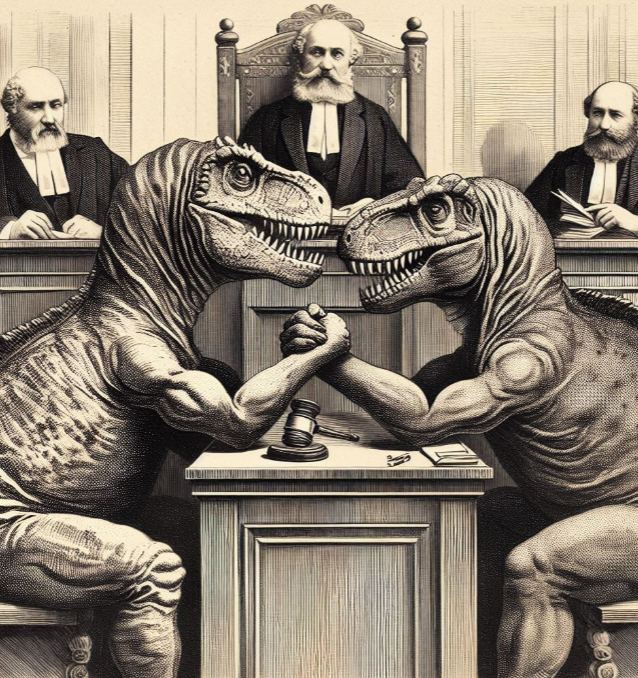
Two very large and easily provoked dinosaurs are engaged in a contest in a court of law. Which will prevail, or will both end up with broken arms? Thanks, MSFT Copilot. I think you are the prettier dinosaur.
To put some bite into the allegation, Google aka Googzilla has:
filed an antitrust complaint in Brussels against Microsoft, alleging its Big Tech rival engages in unfair cloud computing practices that has led to a reduction in choice and an increase in prices… Google said Microsoft is “exploiting” its customers’ reliance on products such as its Windows software by imposing “steep penalties” on using rival cloud providers.
From my vantage point this looks like a rear ender; that is, Google — itself under considerable scrutiny by assorted governmental entities — has smacked into Microsoft, a veteran of EU regulatory penalties. Google explained to the monopoly officer that Microsoft was using discriminatory practices to prevent Google, AWS, and Alibaba from closing cloud computing deals.
In a conversation with some of my research team, several observations surfaced from what I would describe as a jaded group. Let me share several of these:
- Locking up business is precisely the “game” for US high-technology dinosaurs with big teeth and some China-affiliated outfit too. I believe the jargon for this business tactic is “lock in.” IBM allegedly found the play helpful when mainframes were the next big thing. Just try and move some government agencies or large financial institutions from their Big Iron to Chromebooks and see how the suggestion is greeted.,
- Google has called attention to the alleged illegal actions of Microsoft, bringing the Softies into the EU litigation gladiatorial arena.
- Information provided by Google may illustrate the alleged business practices so that when compared to the Google’s approach, Googzilla looks like the ideal golfing partner.
- Any question that US outfits like Google and Microsoft are just mom-and-pop businesses is definitively resolved.
My personal opinion is that Google wants to make certain that Microsoft is dragged into what will be expensive, slow, and probably business trajectory altering legal processes. Perhaps Satya and Sundar will testify as their mercenaries explain that both companies are not monopolies, not hindering competition, and love whales, small start ups, ethical behavior, and the rule of law.
Stephen E Arnold, September 25, 2024
Open Source Dox Chaos: An Opportunity for AI
September 24, 2024
It is a problem as old as the concept of open source itself. ZDNet laments, “Linux and Open-Source Documentation Is a Mess: Here’s the Solution.” We won’t leave you in suspense. Writer Steven Vaughan-Nichols’ solution is the obvious one—pay people to write and organize good documentation. Less obvious is who will foot the bill. Generous donors? Governments? Corporations with their own agendas? That question is left unanswered.
But there is not doubt. Open-source documentation, when it exists at all, is almost universally bad. Vaughan-Nichols recounts:
“When I was a wet-behind-the-ears Unix user and programmer, the go-to response to any tech question was RTFM, which stands for ‘Read the F… Fine Manual.’ Unfortunately, this hasn’t changed for the Linux and open-source software generations. It’s high time we addressed this issue and brought about positive change. The manuals and almost all the documentation are often outdated, sometimes nearly impossible to read, and sometimes, they don’t even exist.”
Not only are the manuals that have been cobbled together outdated and hard to read, they are often so disorganized it is hard to find what one is looking for. Even when it is there. Somewhere. The post emphasizes:
“It doesn’t help any that kernel documentation consists of ‘thousands of individual documents’ written in isolation rather than a coherent body of documentation. While efforts have been made to organize documents into books for specific readers, the overall documentation still lacks a unified structure. Steve Rostedt, a Google software engineer and Linux kernel developer, would agree. At last year’s Linux Plumbers conference, he said, ‘when he runs into bugs, he can’t find documents describing how things work.’ If someone as senior as Rostedt has trouble, how much luck do you think a novice programmer will have trying to find an answer to a difficult question?”
This problem is no secret in the open-source community. Many feel so strongly about it they spend hours of unpaid time working to address it. Until they just cannot take it anymore. It is easy to get burned out when one is barely making a dent and no one appreciates the effort. At least, not enough to pay for it.
Here at Beyond Search we have a question: Why can’t Microsoft’s vaunted Copilot tackle this information problem? Maybe Copilot cannot do the job?
Cynthia Murrell, September 24, 2024
Microsoft Explains Who Is at Fault If Copilot Smart Software Does Dumb Things
September 23, 2024
 This essay is the work of a dumb dinobaby. No smart software required.
Those Windows Central experts have delivered a Dusie of a write up. “Microsoft Says OpenAI’s ChatGPT Isn’t Better than Copilot; You Just Aren’t Using It Right, But Copilot Academy Is Here to Help” explains:
Avid AI users often boast about ChatGPT’s advanced user experience and capabilities compared to Microsoft’s Copilot AI offering, although both chatbots are based on OpenAI’s technology. Earlier this year, a report disclosed that the top complaint about Copilot AI at Microsoft is that “it doesn’t seem to work as well as ChatGPT.”
I think I understand. Microsoft uses OpenAI, other smart software, and home brew code to deliver Copilot in apps, the browser, and Azure services. However, users have reported that Copilot doesn’t work as well as ChatGPT. That’s interesting. A hallucinating capable software processed by the Microsoft engineering legions is allegedly inferior to Copilot.

Enthusiastic young car owners replace individual parts. But the old car remains an old, rusty vehicle. Thanks, MSFT Copilot. Good enough. No, I don’t want to attend a class to learn how to use you.
Who is responsible? The answer certainly surprised me. Here’s what the Windows Central wizards offer:
A Microsoft employee indicated that the quality of Copilot’s response depends on how you present your prompt or query. At the time, the tech giant leveraged curated videos to help users improve their prompt engineering skills. And now, Microsoft is scaling things a notch higher with Copilot Academy. As you might have guessed, Copilot Academy is a program designed to help businesses learn the best practices when interacting and leveraging the tool’s capabilities.
I think this means that the user is at fault, not Microsoft’s refactored version of OpenAI’s smart software. The fix is for the user to learn how to write prompts. Microsoft is not responsible. But OpenAI’s implementation of ChatGPT is perceived as better. Furthermore, training to use ChatGPT is left to third parties. I hope I am close to the pin on this summary. OpenAI just puts Strawberries in front of hungry users and let’s them gobble up ChatGPT output. Microsoft fixes up ChatGPT and users are allegedly not happy. Therefore, Microsoft puts the burden on the user to learn how to interact with the Microsoft version of ChatGPT.
I thought smart software was intended to make work easier and more efficient. Why do I have to go to school to learn Copilot when I can just pound text or a chunk of data into ChatGPT, click a button, and get an output? Not even a Palantir boot camp will lure me to the service. Sorry, pal.
My hypothesis is that Microsoft is a couple of steps away from creating something designed for regular users. In its effort to “improve” ChatGPT, the experience of using Copilot makes the user’s life more miserable. I think Microsoft’s own engineering practices act like a struck brake on an old Lada. The vehicle has problems, so installing a new master cylinder does not improve the automobile.
Crazy thinking: That’s what the write up suggests to me.
Stephen E Arnold, September 23, 2024
Equal Opportunity Insecurity: Microsoft Mac Apps
August 28, 2024
Isn’t it great that Mac users can use Microsoft Office software on their devices these days? Maybe not. Apple Insider warns, “Security Flaws in Microsoft Mac Apps Could Let Attackers Spy on Users.” The vulnerabilities were reported by threat intelligence firm Cisco Talos. Writer Andrew Orr tells us:
“Talos claims to have found eight vulnerabilities in Microsoft apps for macOS, including Word, Outlook, Excel, OneNote, and Teams. These vulnerabilities allow attackers to inject malicious code into the apps, exploiting permissions and entitlements granted by the user. For instance, attackers could access the microphone or camera, record audio or video, and steal sensitive information without the user’s knowledge. The library injection technique inserts malicious code into a legitimate process, allowing the attacker to operate as the compromised app.”
Microsoft has responded with its characteristic good-enough approach to security. We learn:
“Microsoft has acknowledged vulnerabilities found by Cisco Talos but considers them low risk. Some apps, like Microsoft Teams, OneNote, and the Teams helper apps, have been modified to remove the this entitlement, reducing vulnerability. However, other apps, such as Microsoft Word, Excel, Outlook, and PowerPoint, still use this entitlement, making them susceptible to attacks. Microsoft has reportedly ‘declined to fix the issues,’ because of the company’s apps ‘need to allow loading of unsigned libraries to support plugins.’”
Well alright then. Leaving the vulnerability up for Outlook is especially concerning since, as Orr points out, attackers could use it to send phishing or other unauthorized emails. There is only so much users can do in the face of corporate indifference. The write-up advises us to keep up with app updates to ensure we get the latest security patches. That is good general advice, but it only works if appropriate patches are actually issued.
Cynthia Murrell, August 28, 2024
Copilot and Hackers: Security Issues Noted
August 12, 2024
 This essay is the work of a dinobaby. Unlike some folks, no smart software improved my native ineptness.
The online publication Cybernews ran a story I found interesting. It title suggests something about Black Hat USA 2024 attendees I have not considered. Here’s the headline:
Black Hat USA 2024: : Microsoft’s Copilot Is Freaking Some Researchers Out
Wow. Hackers (black, gray, white, and multi-hued) are “freaking out.” As defined by the estimable Urban Dictionary, “freaking” means:
Obscene dancing which simulates sex by the grinding the of the genitalia with suggestive sounds/movements. often done to pop or hip hop or rap music
No kidding? At Black Hat USA 2024?

Thanks, Microsoft Copilot. Freak out! Oh, y0ur dance moves are good enough.
The article reports:
Despite Microsoft’s claims, cybersecurity researcher Michael Bargury demonstrated how Copilot Studio, which allows companies to build their own AI assistant, can be easily abused to exfiltrate sensitive enterprise data. We also met with Bargury during the Black Hat conference to learn more. “Microsoft is trying, but if we are honest here, we don’t know how to build secure AI applications,” he said. His view is that Microsoft will fix vulnerabilities and bugs as they arise, letting companies using their products do so at their own risk.
Wait. I thought Microsoft has tied cash to security work. I thought security was Job #1 at the company which recently accursed Delta Airlines of using outdated technology and failing its customers. Is that the Microsoft that Mr. Bargury is suggesting has zero clue how to make smart software secure?
With MSFT Copilot turning up in places that surprise me, perhaps the Microsoft great AI push is creating more problems. The SolarWinds glitch was exciting for some, but if Mr. Bargury is correct, cyber security life will be more and more interesting.
Stephen E Arnold, August 12, 2024
Happy Fourth of July Says Microsoft to Some Employees
July 8, 2024
 This essay is the work of a dinobaby. Unlike some folks, no smart software improved my native ineptness.
I read “Microsoft Lays Off Employees in New Round of Cuts.” The write up reports:
Microsoft conducted another round of layoffs this week in the latest workforce reduction implemented by the Redmond tech giant this year… Posts on LinkedIn from impacted employees show the cuts affecting employees in product and program management roles.
I wonder if some of those Softies were working on security (the new Job One at Microsoft) or the brilliantly conceived and orchestrated Recall “solution.”
The write up explains or articulates an apologia too:
The cutbacks come as Microsoft tries to maintain its profit margins amid heavier capital spending, which is designed to provide the cloud infrastructure needed to train and deploy the models that power AI applications.
Several observations:
- A sure-fire way to solve personnel and some types of financial issues is identifying employees, whipping up some criteria-based dot points, and telling the folks, “Good news. You can find your future elsewhere.”
- Dumping people calls attention to management’s failure to keep staff and tasks aligned. Based on security and reliability issues Microsoft evidences, the company is too large to know what color sock is on each foot.
- Microsoft faces a challenge, and it is not AI. With more functions working in a browser, perhaps fed up individuals and organizations will re-visit Linux as an alternative to Microsoft’s products and services?
Net net: Maybe firing the security professionals and those responsible for updates which kill Windows machines is a great idea?
Stephen E Arnold, July 8, 2024
Microsoft Recall Continues to Concern UK Regulators
July 4, 2024
A “feature” of the upcoming Microsoft Copilot+, dubbed Recall, looks like a giant, built-in security risk. Many devices already harbor software that can hunt through one’s files, photos, emails, and browsing history. Recall intrudes further by also taking and storing a screenshot every few seconds. Wait, what? That is what the British Information Commissioner’s Office (ICO) is asking. The BBC reports, “UK Watchdog Looking into Microsoft AI Taking Screenshots.”
Microsoft asserts users have control and that the data Recall snags is protected. But the company’s pretty words are not enough to convince the ICO. The agency is grilling Microsoft about the details and will presumably update us when it knows more. Meanwhile, journalist Imran Rahman-Jones asked experts about Recall’s ramifications. He writes:
“Jen Caltrider, who leads a privacy team at Mozilla, suggested the plans meant someone who knew your password could now access your history in more detail. ‘[This includes] law enforcement court orders, or even from Microsoft if they change their mind about keeping all this content local and not using it for targeted advertising or training their AIs down the line,’ she said. According to Microsoft, Recall will not moderate or remove information from screenshots which contain passwords or financial account information. ‘That data may be in snapshots that are stored on your device, especially when sites do not follow standard internet protocols like cloaking password entry,’ said Ms. Caltrider. ‘I wouldn’t want to use a computer running Recall to do anything I wouldn’t do in front of a busload of strangers. ‘That means no more logging into financial accounts, looking up sensitive health information, asking embarrassing questions, or even looking up information about a domestic violence shelter, reproductive health clinic, or immigration lawyer.’”
Calling Recall a privacy nightmare, AI and privacy adviser Dr Kris Shrishak notes just knowing one’s device is constantly taking screenshots will have a chilling effect on users. Microsoft appears to have “pulled” the service. But data and privacy expert Daniel Tozer made a couple more points: How will a company feel if a worker’s Copilot snaps a picture of their proprietary or confidential information? Will anyone whose likeness appears in video chat or a photo be asked for consent before the screenshot is taken? Our guess—not unless it is forced to.
Cynthia Murrell, July 4, 2024
The Check Is in the Mail and I Will Love You in the Morning. I Promise.
July 1, 2024
 This essay is the work of a dumb dinobaby. No smart software required.
Have you heard these phrases in a business context?
- “I’ll get back to you on that”
- “We should catch up sometime”
- “I’ll see what I can do”
- “I’m swamped right now”
- “Let me check my schedule and get back to you”
- “Sounds great, I’ll keep that in mind”
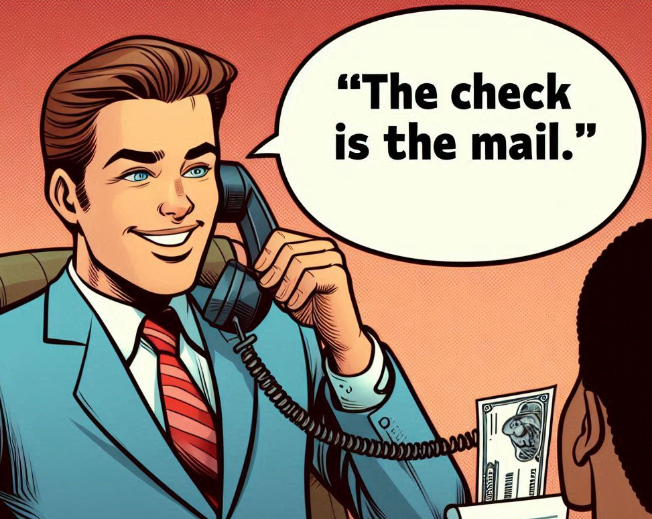
Thanks, MSFT Copilot. Good enough despite the mobile presented as a corded landline connected to a bank note. I understand and I will love you in the morning. No, really.
I read “It’s Safe to Update Your Windows 11 PC Again, Microsoft Reassures Millions after Dropping Software over Bug.” [If the linked article disappears, I would not be surprised.] The write up says:
Due to the severity of the glitch, Microsoft decided to ditch the roll-out of KB5039302 entirely last week. Since then, the Redmond-based company has spent time investigating the cause of the bug and determined that it only impacts those who use virtual machine tools, like CloudPC, DevBox, and Azure Virtual Desktop. Some reports suggest it affects VMware, but this hasn’t been confirmed by Microsoft.
Now the glitch has been remediated. Yes, “I’ll get back to you on that.” Okay, I am back:
…on the first sign that your Windows PC has started — usually a manufacturer’s logo on a blank screen — hold down the power button for 10 seconds to turn-off the device, press and hold the power button to turn on your PC again, and then when Windows restarts for a second time hold down the power button for 10 seconds to turn off your device again. Power-cycling twice back-to-back should means that you’re launched into Automatic Repair mode on the third reboot. Then select Advanced options to enter winRE. Microsoft has in-depth instructions on how to best handle this damaging bug on its forum.
No problem, grandma.
I read this reassurance the simple steps needed to get the old Windows 11 gizmo working again. Then I noted this article in my newsfeed this morning (July 1, 2024): “Microsoft Notifies More Customers Their Emails Were Accessed by Russian Hackers.” This write up reports as actual factual this Microsoft announcement:
Microsoft has told more customers that their emails were compromised during a late 2023 cyberattack carried out by the Russian hacking group Midnight Blizzard.
Yep, Russians… again. The write up explains:
The attack began in late November 2023. Despite the lengthy period the attackers were present in the system, Microsoft initially insisted that that only a “very small percentage” of corporate accounts were compromised. However, the attackers managed to steal emails and attached documents during the incident.
I can hear in the back of my mind this statement: “I’ll see what I can do.” Okay, thanks.
This somewhat interesting revelation about an event chugging along unfixed since late 2023 has annoyed some other people, not your favorite dinobaby. The article concluded with this passage:
In April [2023], a highly critical report [pdf] by the US Cyber Safety Review Board slammed the company’s response to a separate 2023 incident where Chinese hackers accessed emails of high-profile US government officials. The report criticized Microsoft’s “cascade of security failures” and a culture that downplayed security investments in favor of new products. “Microsoft had not sufficiently prioritized rearchitecting its legacy infrastructure to address the current threat landscape,” the report said. The urgency of the situation prompted US federal agencies to take action in April [2023]. An emergency directive was issued by the US Cybersecurity and Infrastructure Security Agency (CISA), mandating government agencies to analyze emails, reset compromised credentials, and tighten security measures for Microsoft cloud accounts, fearing potential access to sensitive communications by Midnight Blizzard hackers. CISA even said the Microsoft hack posed a “grave and unacceptable risk” to government agencies.
“Sounds great, I’ll keep that in mind.”
Stephen E Arnold, July 1, 2024
-

- Subscribe to Beyond Search
Feature archive
News archive

-


